Group cards, signed by everyone
The card's going around. Four people signed.
Saludito is one card, one link — signed from any phone, any laptop, by everyone you send it to.
Start your card — first one's free
No download needed. Works right in your browser.
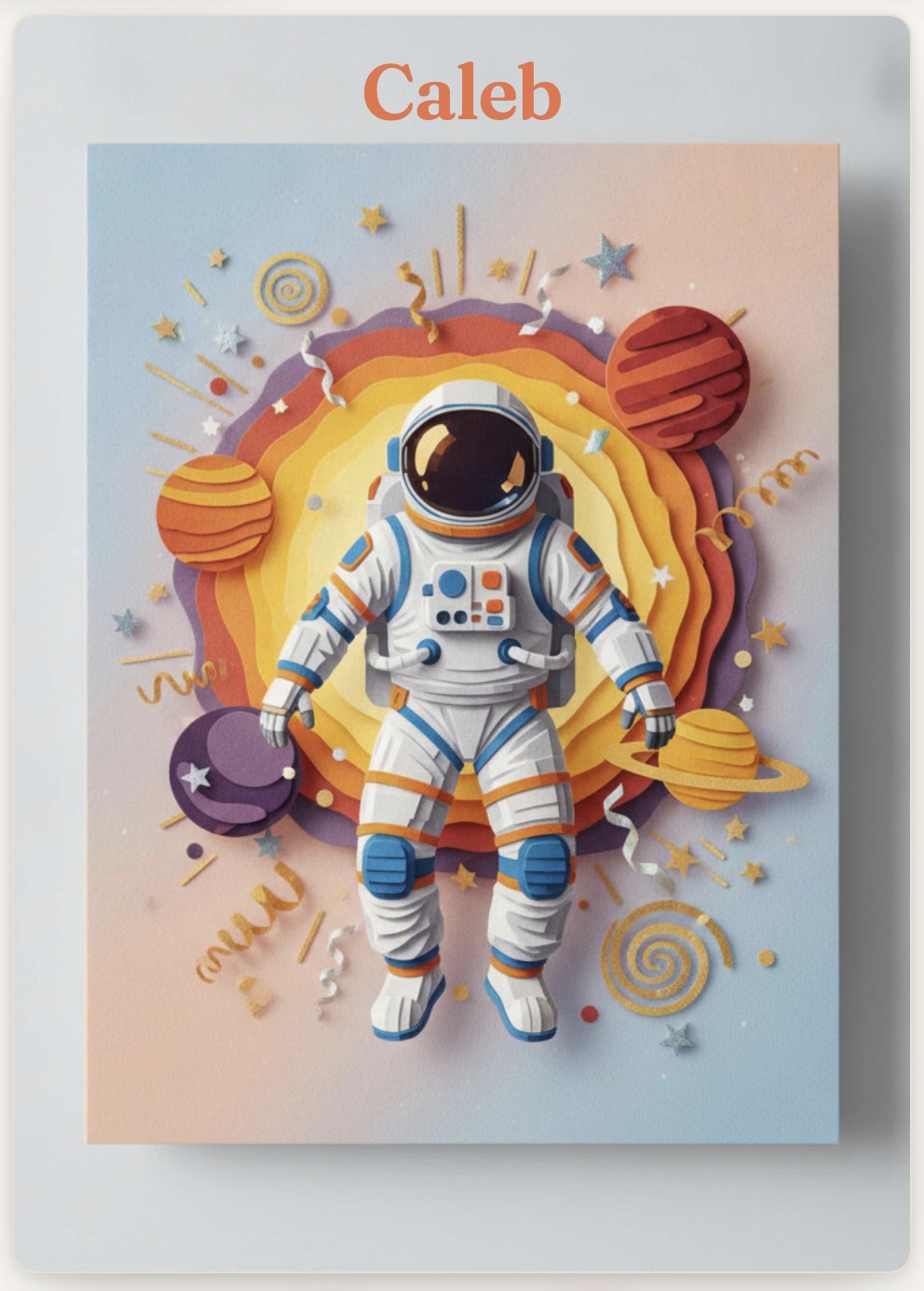
If you're reading this, it's you
Someone always has to start the card.
- The paper one dies in a drawer on the third desk it reaches.
- The group chat version is fifteen separate texts you can't hand to anybody.
- Half the team is on Android, and two of them won't install anything.
- You've asked Dave twice.
- And it's due Friday.
The whole trick
Nobody downloads anything to sign.
You send one link. They tap it, add their name and a note, and they're done in about fifteen seconds — same on an iPhone, an Android, or a laptop. No account. No app.
That's the entire reason your card comes back with eighteen signatures instead of four.

For the organizer
The chasing part, handled.
Watch it fill up live.
The count ticks up the moment somebody signs — you can see exactly where the card stands without opening a spreadsheet or asking around. Set a deadline and it closes itself.
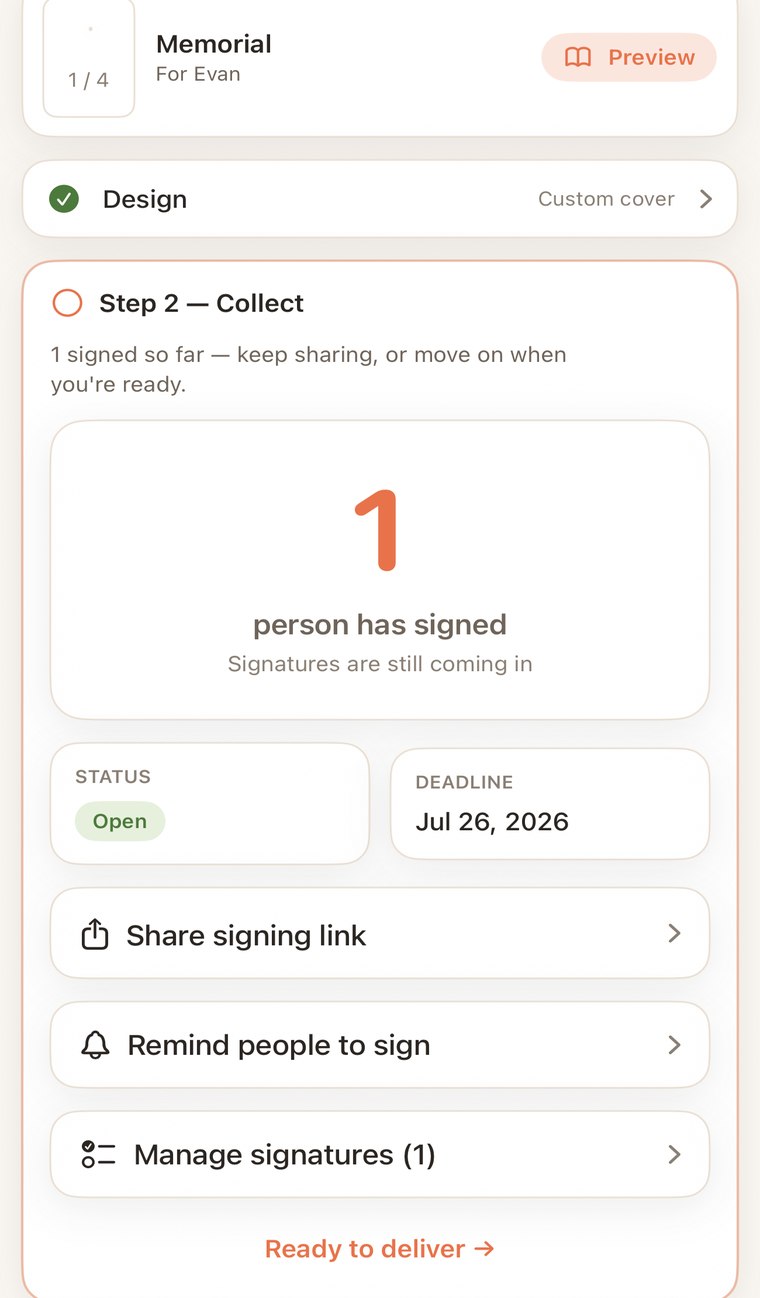
Nudge the stragglers.
One tap sends a reminder to whoever hasn't signed yet. No awkward second Slack message from you.
Read it before it sends.
Every signature is yours to review. Remove anything that shouldn't go out — the recipient never knows.
One link, anywhere.
Drops cleanly into Slack, Teams, email, or a group text. That's the entire distribution step.
The finish
Send it — or fold a real one.
A print-ready PDF, not a screenshot.
Export the card laid out to fold at home: correct page size, fold guides, high resolution. Print it on your own printer and hand somebody an actual card. No vendor to order from, nothing waiting in the mail. Or just send it digitally and be done.
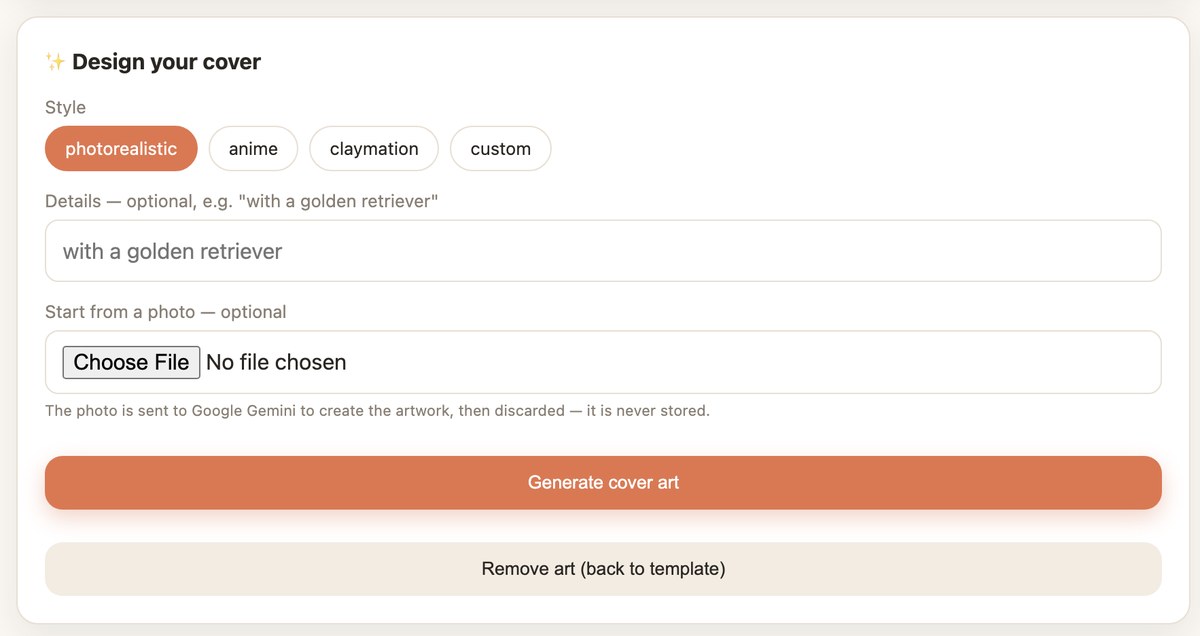
Pick a cover in seconds. Photorealistic, anime, claymation, or your own custom style — choose one and generate the artwork, or start from your own photo. If you generate from a photo, the photo is discarded straight after and never stored.
Built for
The cards people actually organize.
Most card apps are built for one person sending one card. Saludito is built for the person doing the hard part.
Pricing
Pay per card. Never per month.
You pay when the card is full and you're ready to send or print it — not before. There's no subscription, because you don't need one every month. You need one when somebody's leaving.
FAQ
Questions.
Does everyone need the app to sign?
No. Only you use the app. Everyone else taps the link you share and signs in their browser — iPhone, Android, or laptop, no account, no download. That's deliberate: a download requirement is the reason group cards come back with four signatures instead of eighteen.
How do people sign?
You share one link — paste it into Slack, Teams, email, or a group text. They open it, add their name and a note, and they're done in about fifteen seconds. Your signature count updates live as they land.
Can I see who hasn't signed yet?
You get a live count, a status and deadline for the card, and a one-tap reminder for whoever's still stalling. You can also open the full list of signatures and remove any that shouldn't be there before the card goes out.
Can I print the card?
Yes. Export a print-ready PDF laid out to fold at home — correct page size, fold guides, high resolution — and print it on your own printer. No vendor to order from, nothing waiting in the mail. You can also just send it digitally.
What does it cost?
Your first card is free. After that it's a one-time charge per card — no subscription. You pay when you're ready to send or print, not before.
What occasions is it built for?
The cards people actually organize at work: farewells, work anniversaries, welcoming someone new, retirement, and congratulations. It works for anything, but the templates and tone are built around those.
Can I set a deadline?
Yes. Set a signing deadline when you create the card and it closes on its own when the date arrives, so you're not the one deciding to cut people off. You can also close it manually once you're ready to deliver.
What happens to a photo I use for the cover?
If you generate cover artwork from a photo, the photo goes to the image generator to create the artwork and is discarded straight after — it's never stored. If you use the photo directly as the cover instead, a compressed copy is stored on the card itself and no generation is involved.